Skip to content
Slim

Features

Built around the DICOM standard

Slim reads images and their derived data from the same DICOMweb archive, and saves annotations back to it. Nothing is stored in a proprietary format.

Display

Whole slide images, brightfield and fluorescence

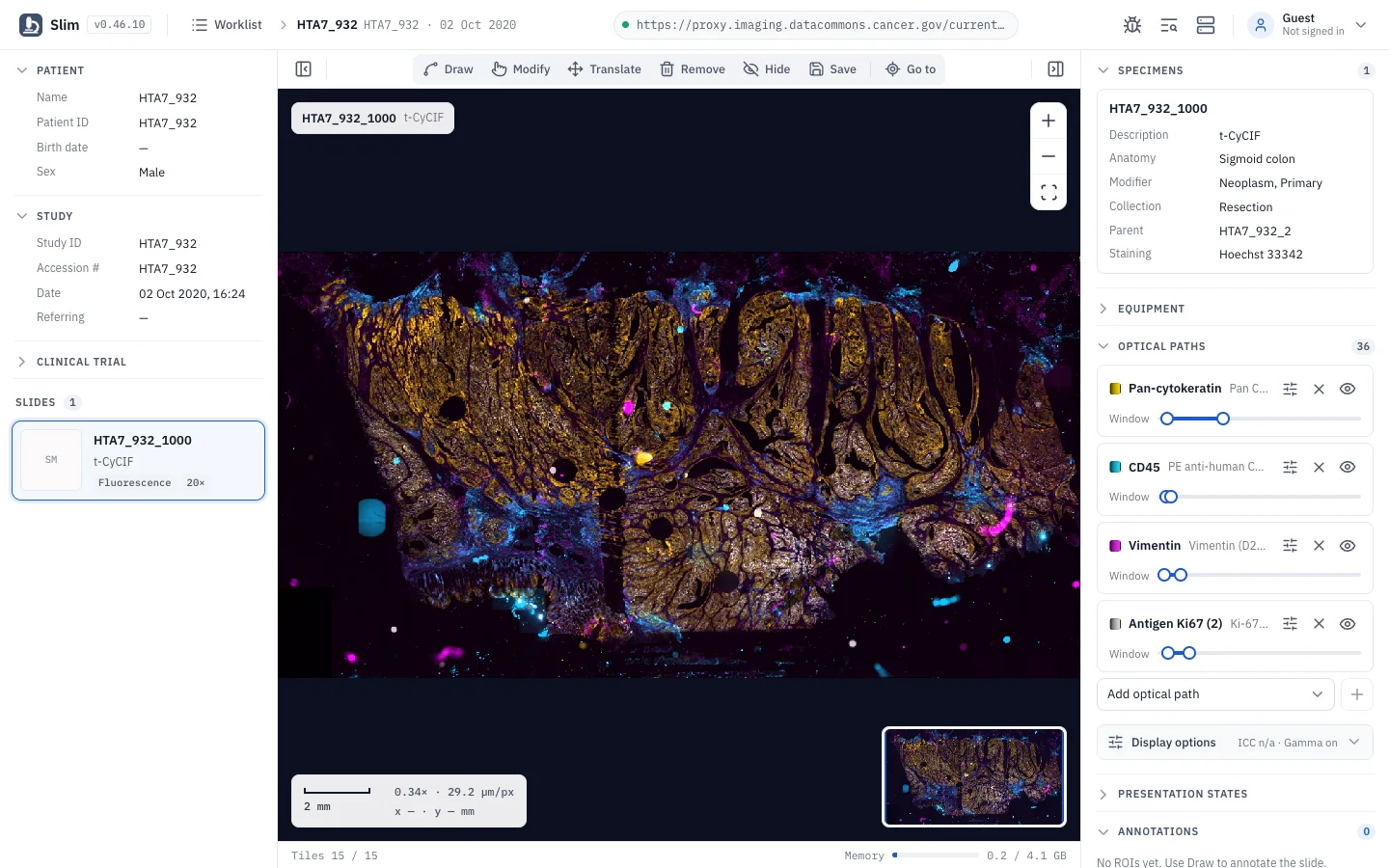
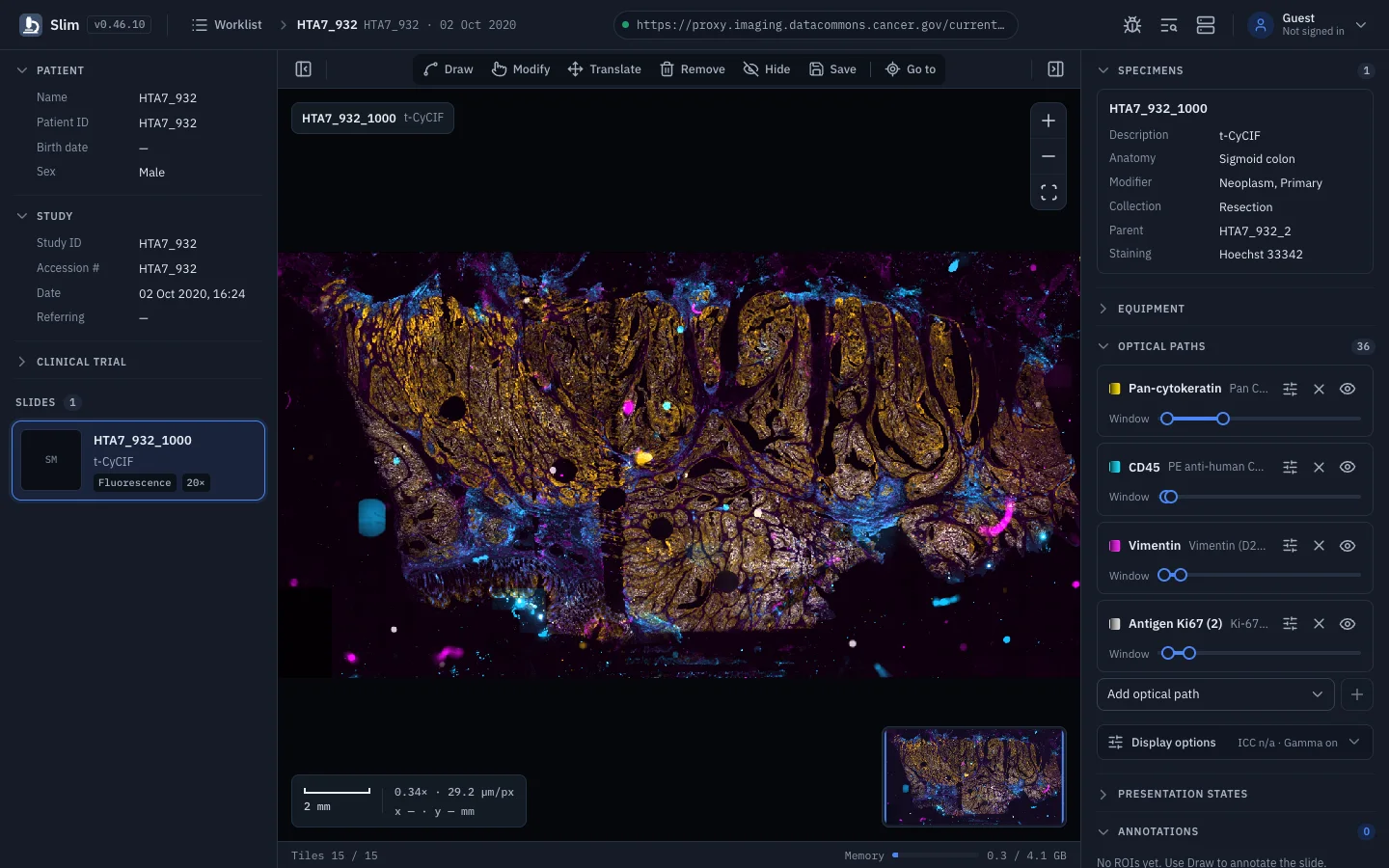
Vendor-neutral display of DICOM VL Whole Slide Microscopy Image instances, from H&E brightfield to multiplexed immunofluorescence.

Slim renders the tiled image pyramid of a DICOM whole slide image directly in the browser using dicom-microscopy-viewer. There is no server-side rendering and no proprietary format: if the archive serves DICOMweb, Slim can display it.

Interoperability with acquisition and archive systems from several vendors was demonstrated at the DICOM WG-26 Connectathon at Path Visions 2020 and the WG-26 Hackathon at Path Visions 2021.

  • Brightfield and multichannel fluorescence slides in the same viewer
  • Per-channel color, window and visibility under Optical paths
  • ICC color management, gamma and interpolation under Display options
  • Advanced Blending Presentation States restore a saved channel setup
See it in the demo(opens the demo in a new tab)
Slim: Whole slide images, brightfield and fluorescence

Vector annotations

Annotations at the scale of single cells

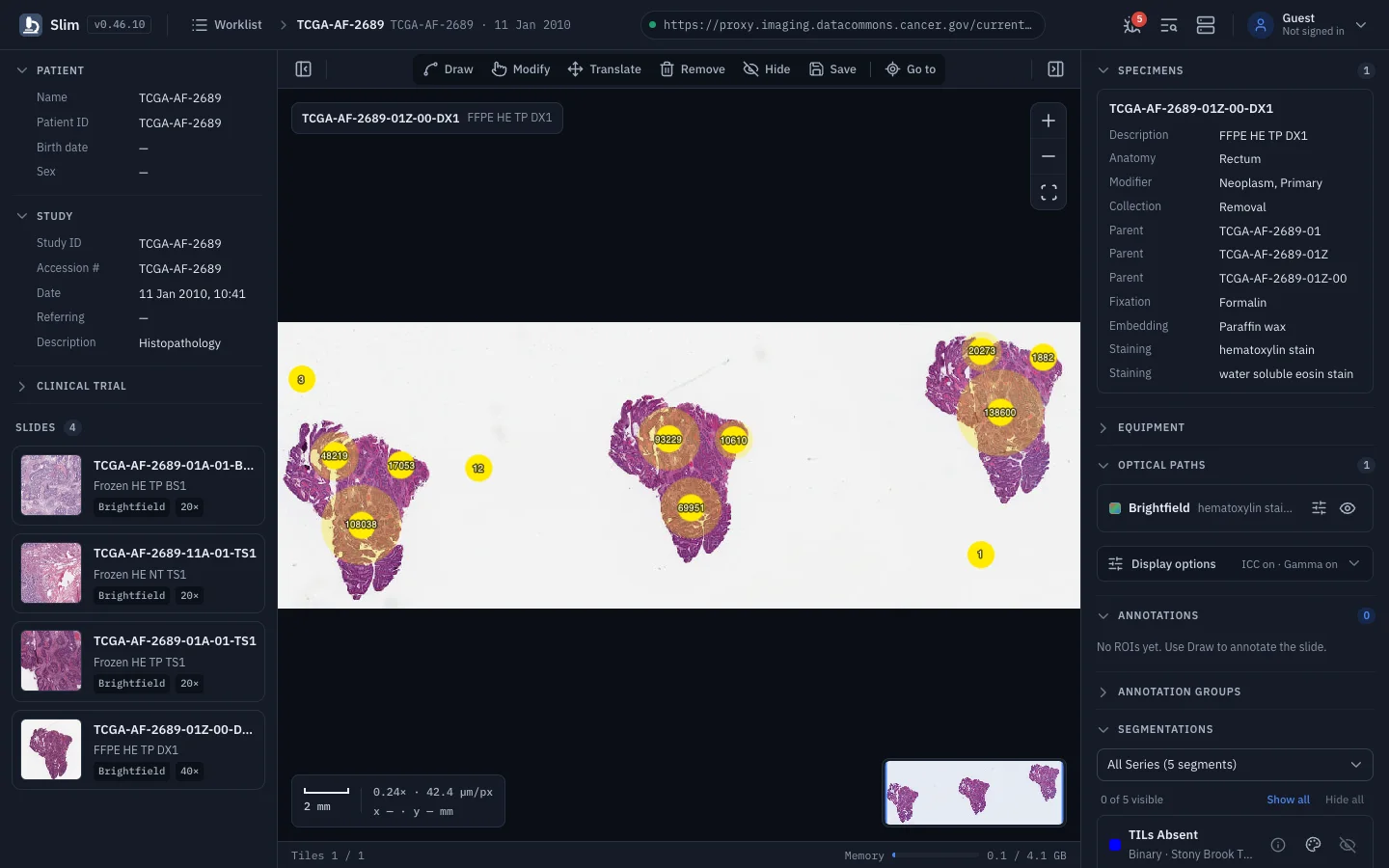
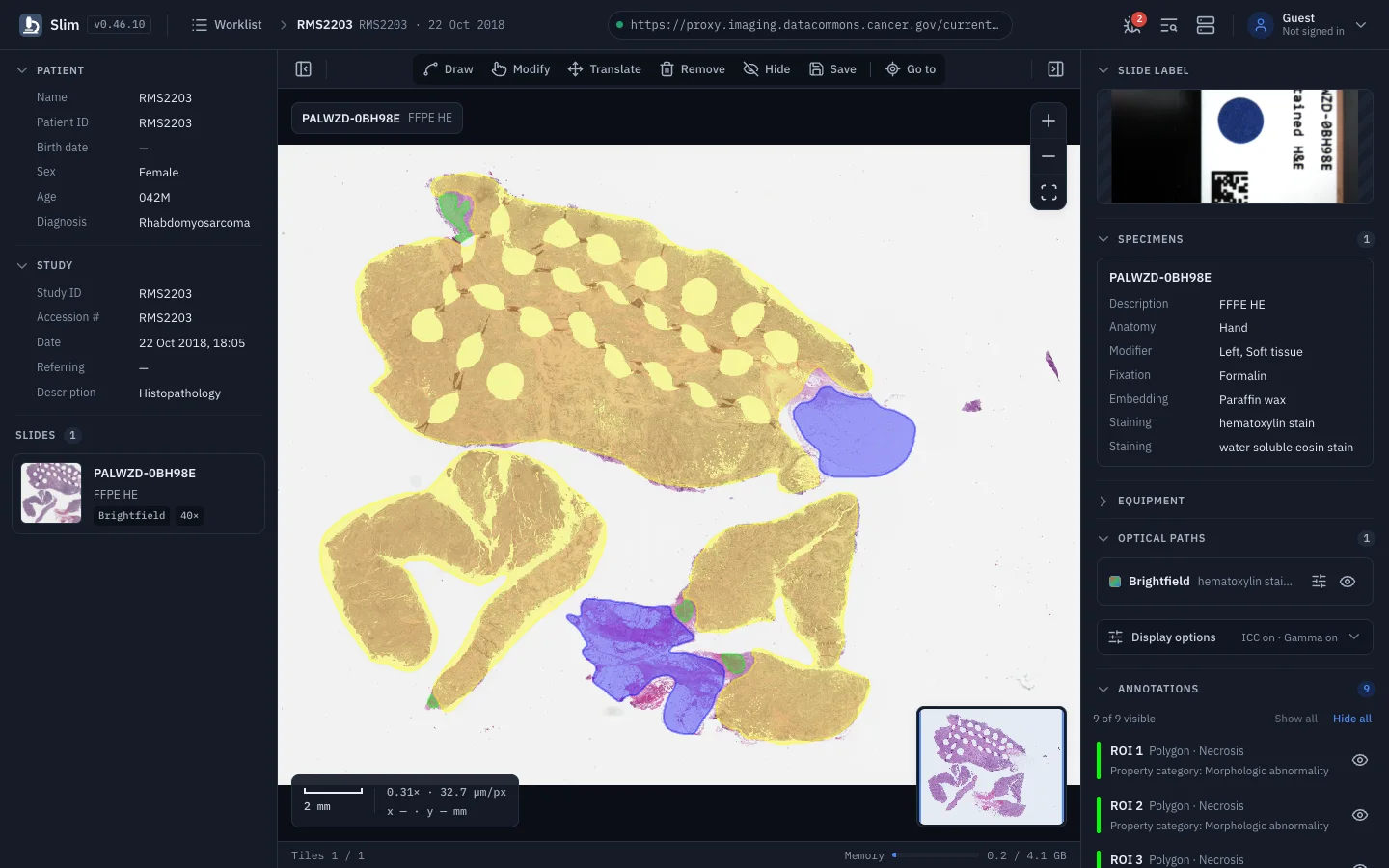
Display ROI annotations from DICOM Comprehensive 3D SR and millions of cell outlines from Microscopy Bulk Simple Annotations.

Annotations are DICOM objects too. Slim reads them from the same DICOMweb server as the images, matches them to the slide they reference, and lists them in the right-hand panel under Annotations, Annotation groups and Annotation categories.

  • Comprehensive 3D SR, TID 1500 measurement reports with TID 1410 planar ROIs
  • Microscopy Bulk Simple Annotations, grouped by label, with show/hide per group
  • Annotation groups and categories with counts and partial visibility states
  • Selecting a derived object in the URL loads its slide and turns it on
See it in the demo(opens the demo in a new tab)
Slim: Annotations at the scale of single cells

Raster results

AI and analysis results as overlays

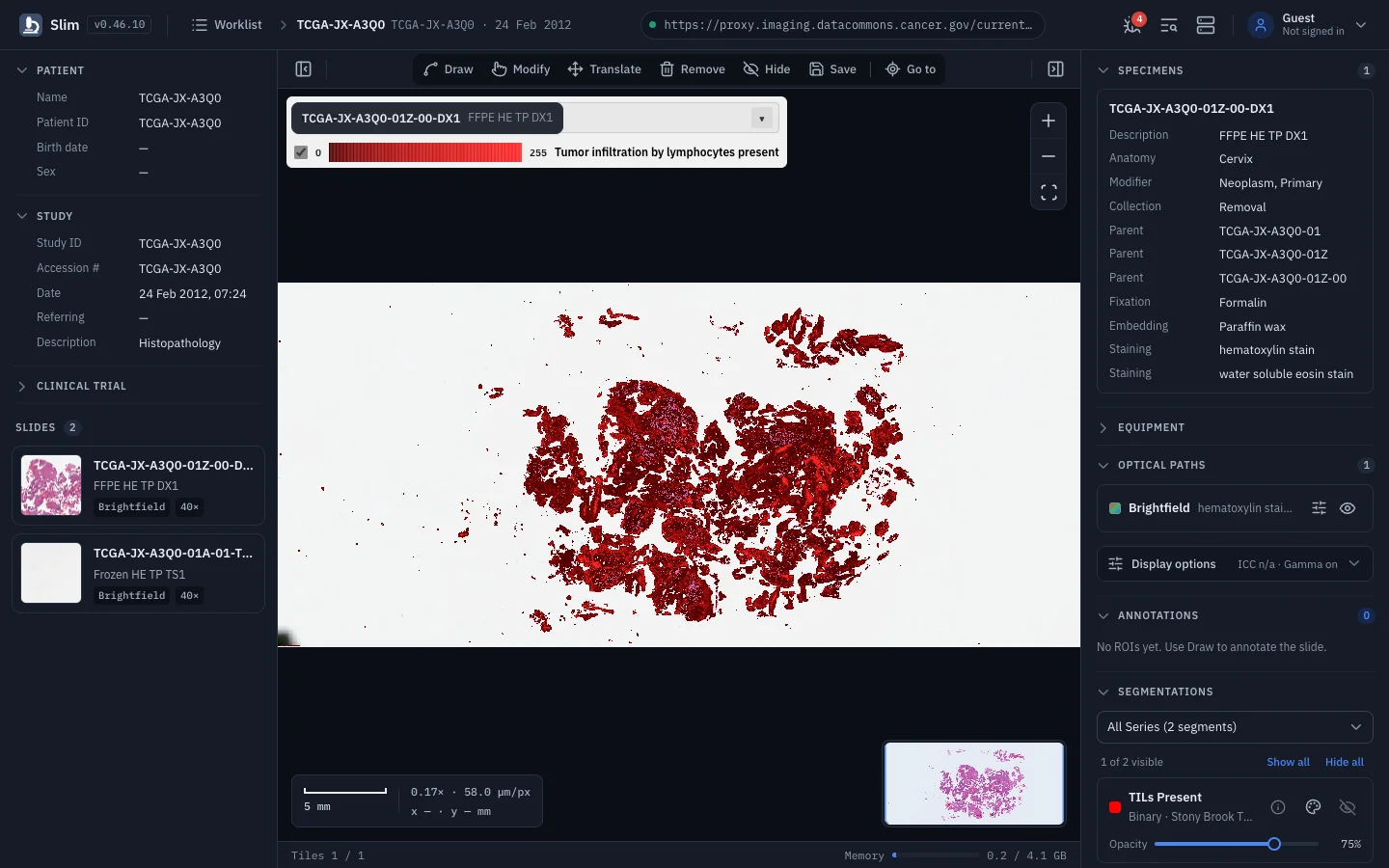
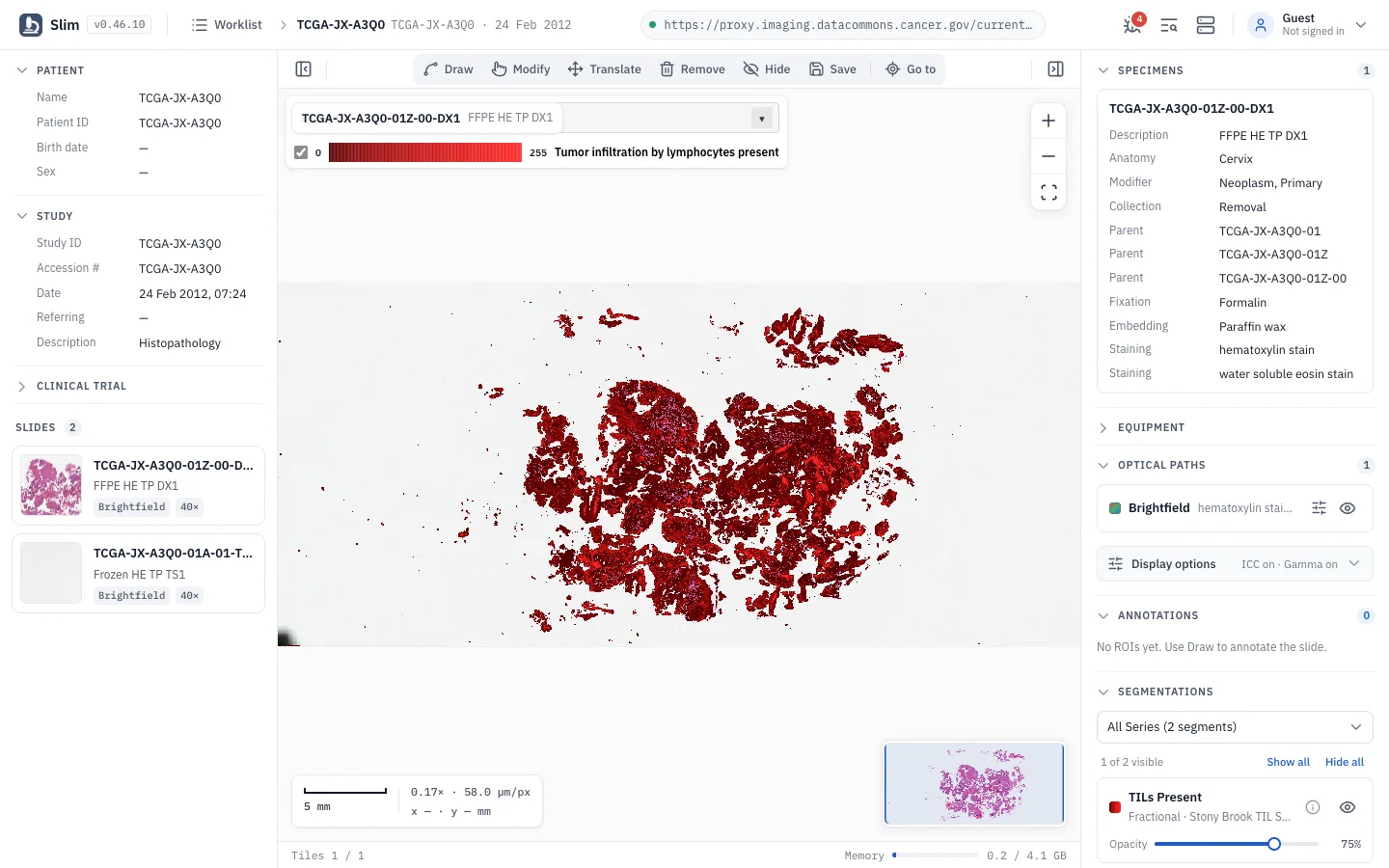
Overlay segmentations, label maps and parametric maps from image analysis pipelines, with legends and per-segment controls.

Fractional segmentations and parametric maps show a collapsible color legend in the viewport whenever an overlay is visible. Its per-item toggles stay in sync with the switches in the right-hand panel, and opacity is set per segment.

  • Binary and fractional DICOM Segmentation, including TILED_SPARSE at non-standard resolutions
  • Labelmap Segmentation (Supplement 243) with one segment per pixel value
  • Parametric Maps for saliency, attention and class activation maps
  • In-viewport color legend; click a segment to zoom to its bounding box
See it in the demo(opens the demo in a new tab)
Slim: AI and analysis results as overlays

Annotation tools

Draw, measure and save as DICOM

Create region-of-interest annotations with coded findings and store them back to the archive as DICOM Comprehensive 3D SR.

The tool pill compacts on narrow screens, and the Draw dialog keeps its fields when you close and reopen it. Saved annotations are ordinary DICOM SR instances, so other DICOM-aware tools such as highdicom can read them back for analysis. Saving needs a server configured with write: true; the public demo is read-only.

  • Draw, Modify, Translate, Remove, Hide, Save and Go to from one centered tool pill
  • Points, lines, boxes, circles, polygons and freehand lines or polygons
  • Findings coded in SNOMED CT or any terminology your deployment configures
  • Stored as SCOORD3D in millimeters (TID 1500 and TID 1410) via DICOMweb STOW-RS
See it in the demo(opens the demo in a new tab)
Slim: Draw, measure and save as DICOM

Worklist

A worklist that knows about derived data

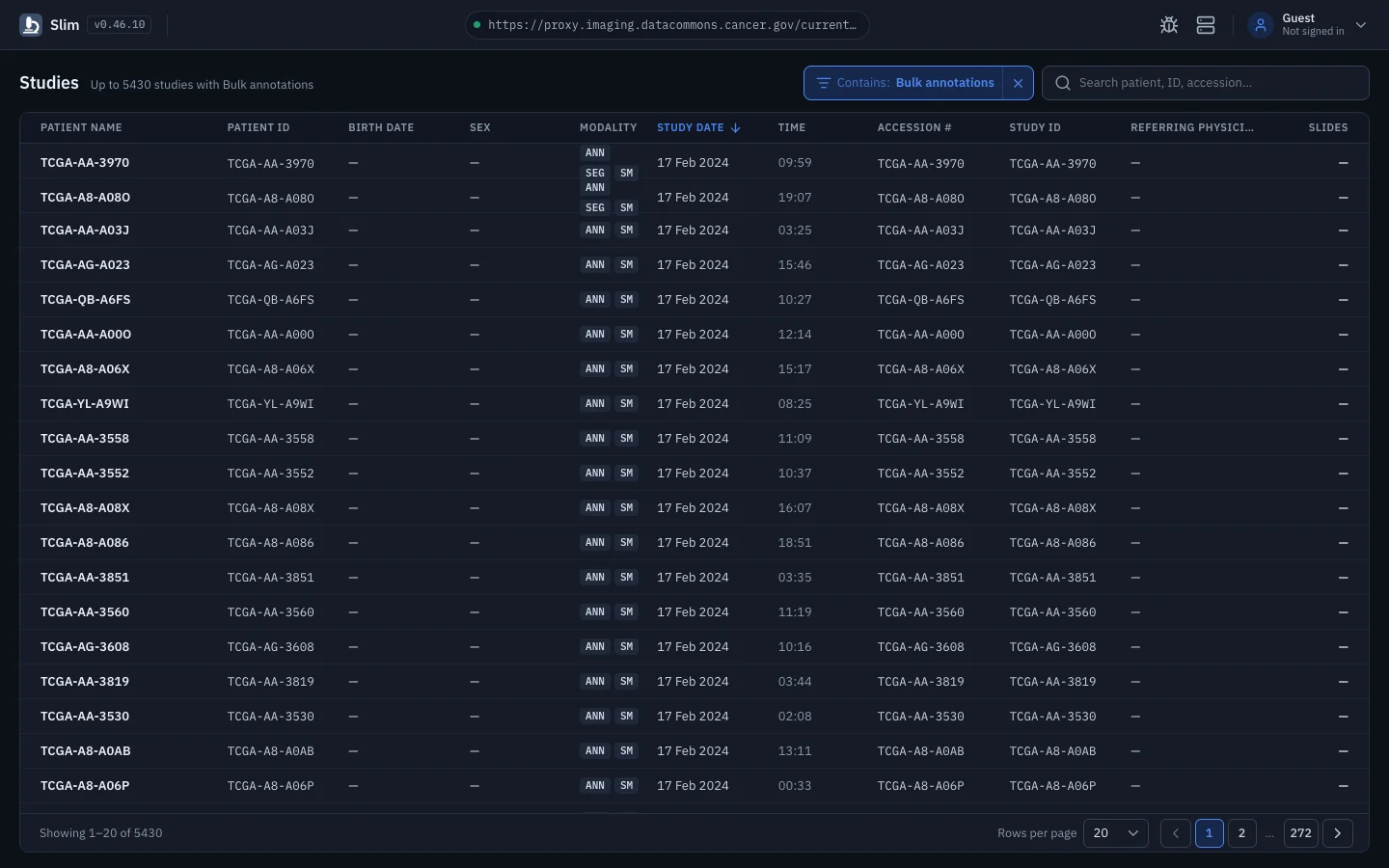
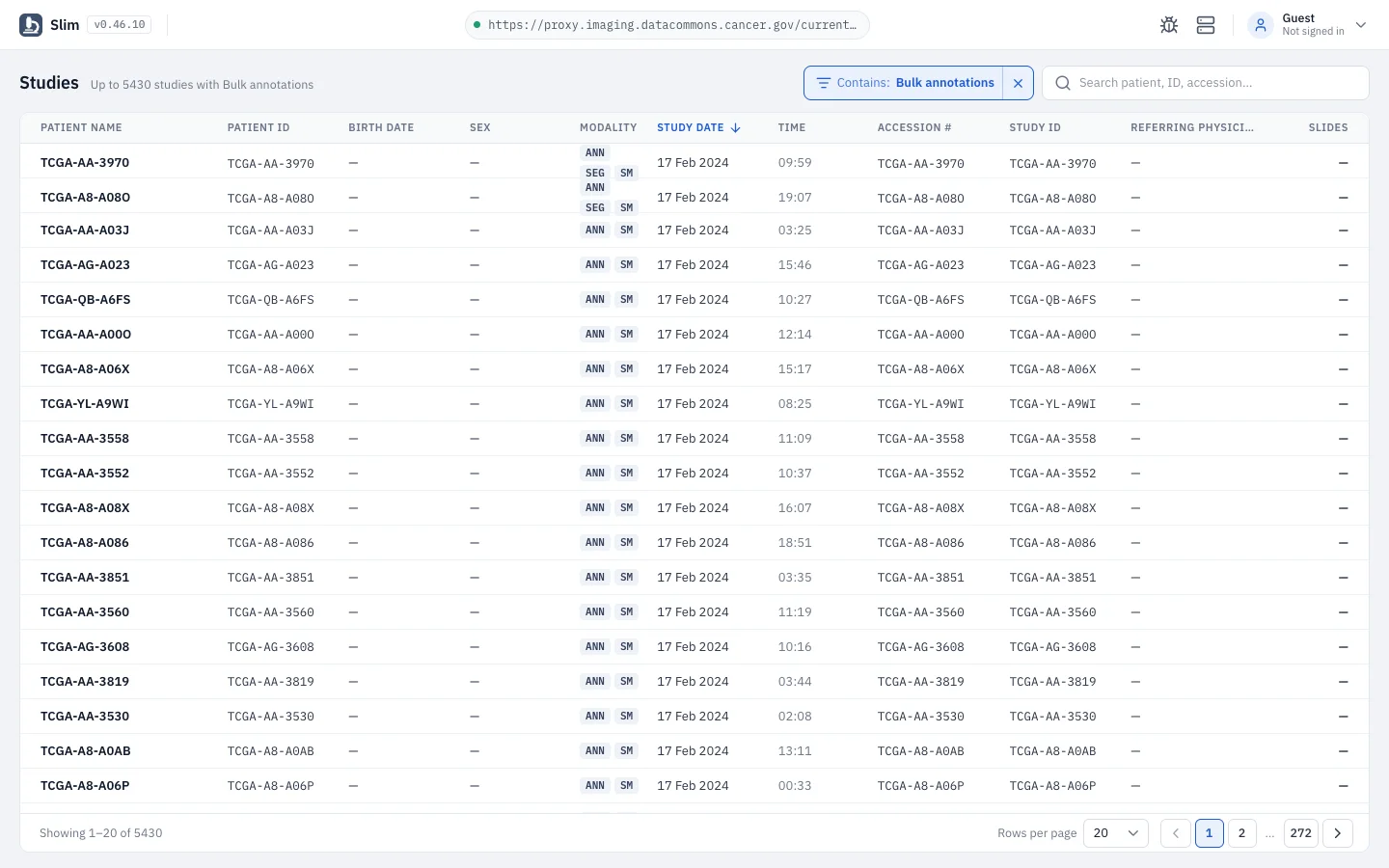
Search studies, sort and page through results, and find the ones that hold segmentations, annotations, maps or presentation states.

The Contains filter searches by SOP Class UID at the instance level, and falls back to the series modality on servers that do not support it, such as Google Cloud. Rows on the current page are then checked for slides and the exact SOP class, and results are cached for the session.

  • Search by patient name, patient ID, study ID or accession number
  • The Contains filter finds studies with bulk annotations, 3D SR, segmentations, label maps, parametric maps or presentation states
  • Sortable columns, pagination and compact 32px rows
  • The Contains filter lives in the URL, so a filtered worklist is a shareable link
Slim: A worklist that knows about derived data

Viewer

A viewer layout built for slides

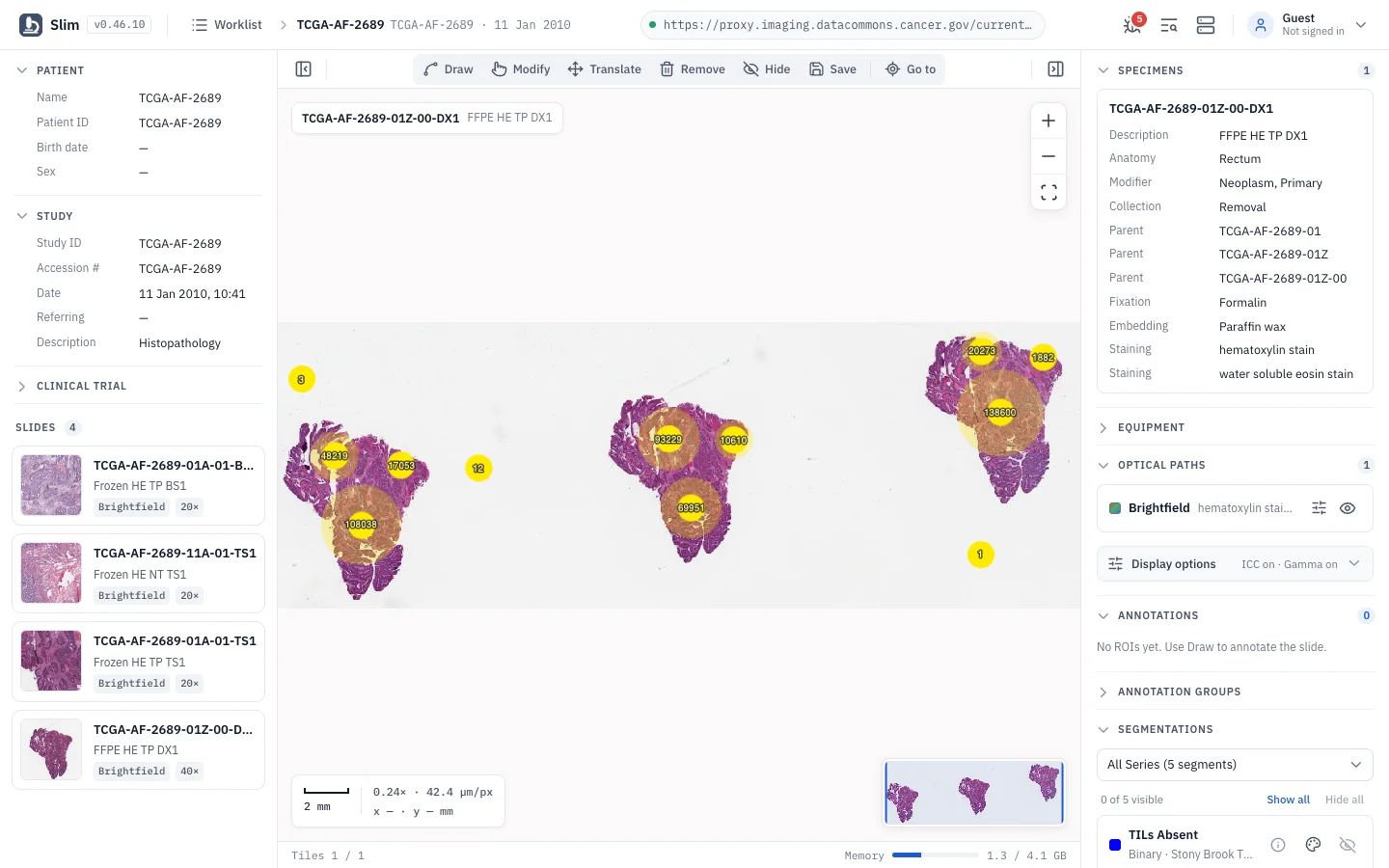
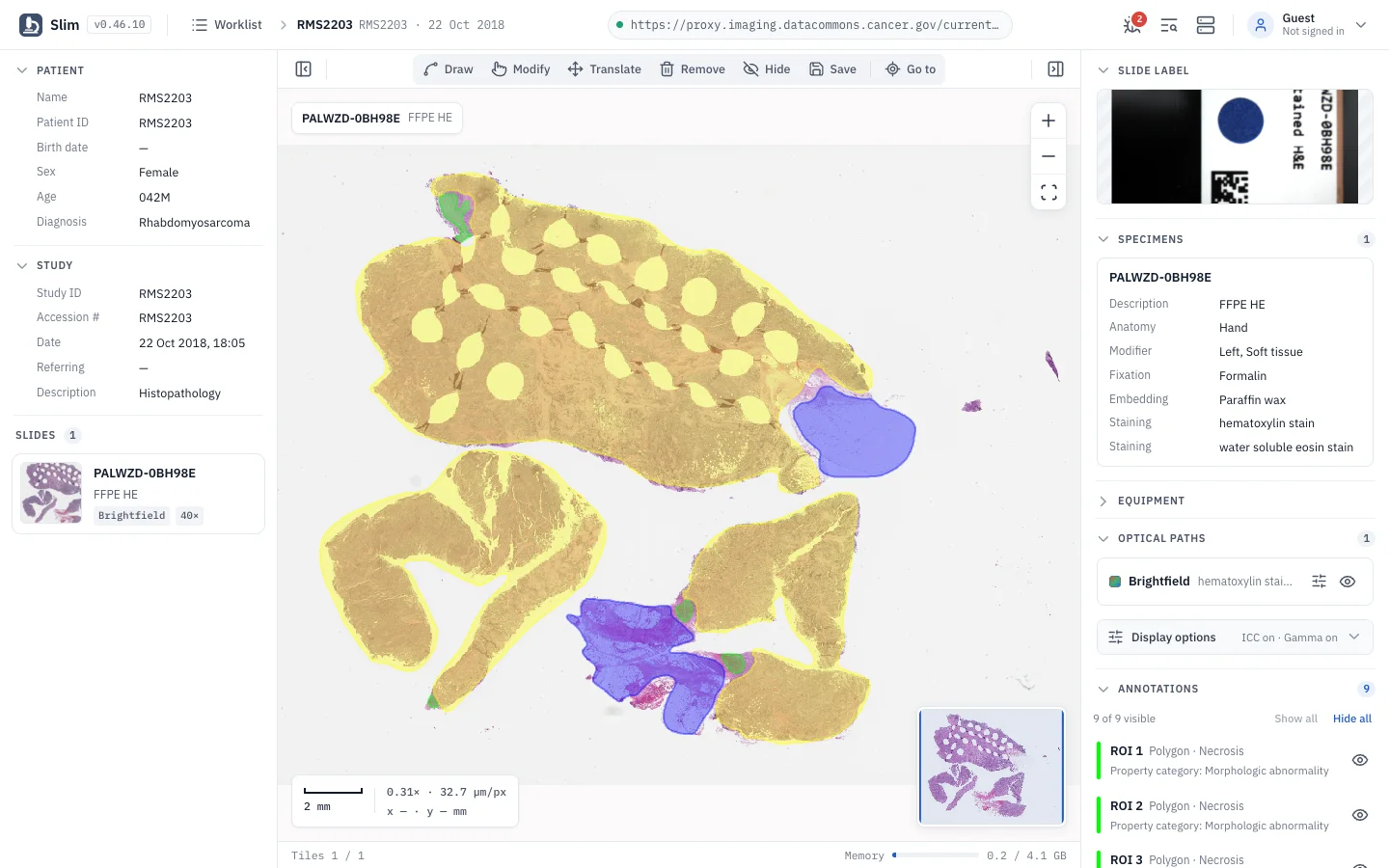
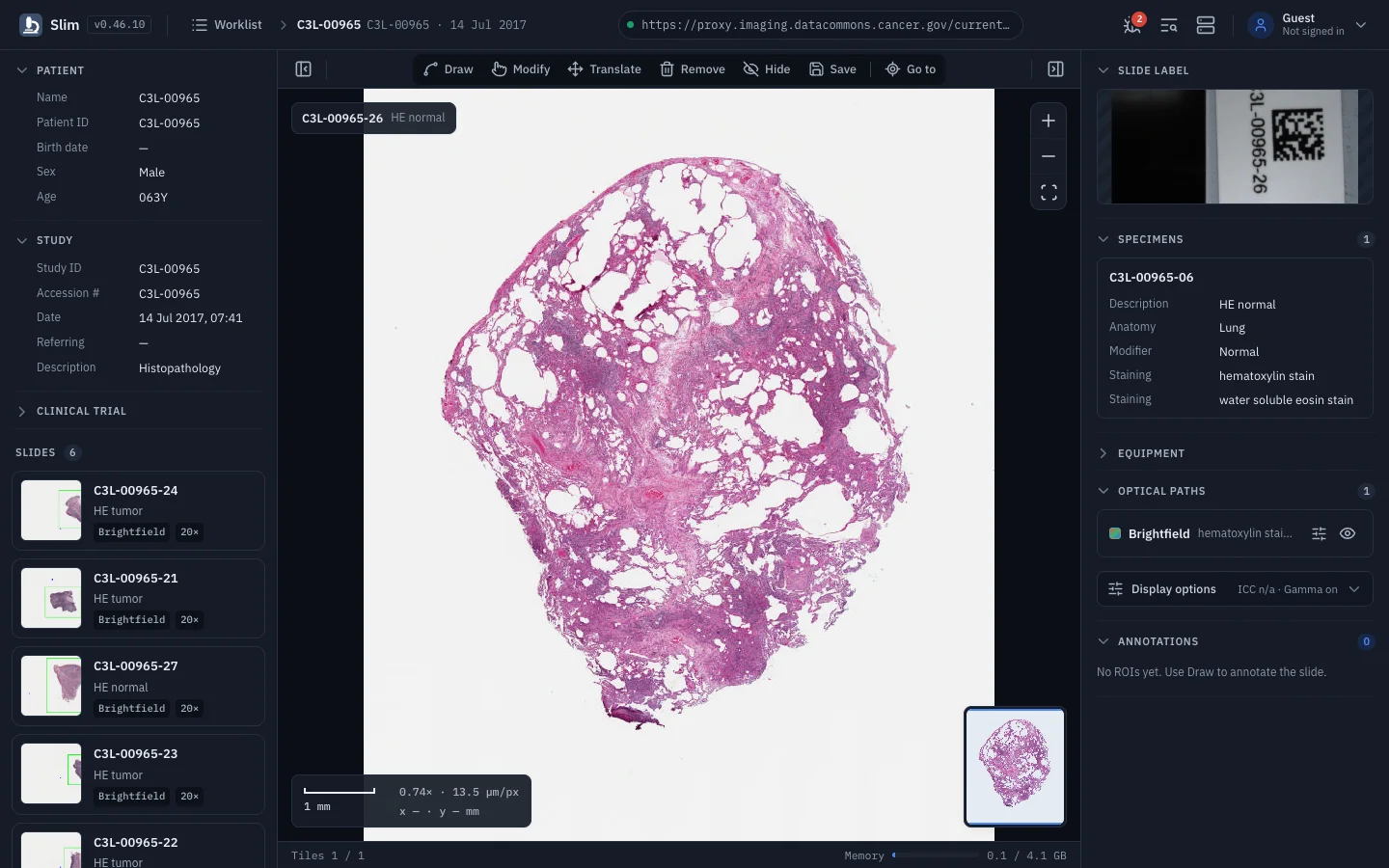
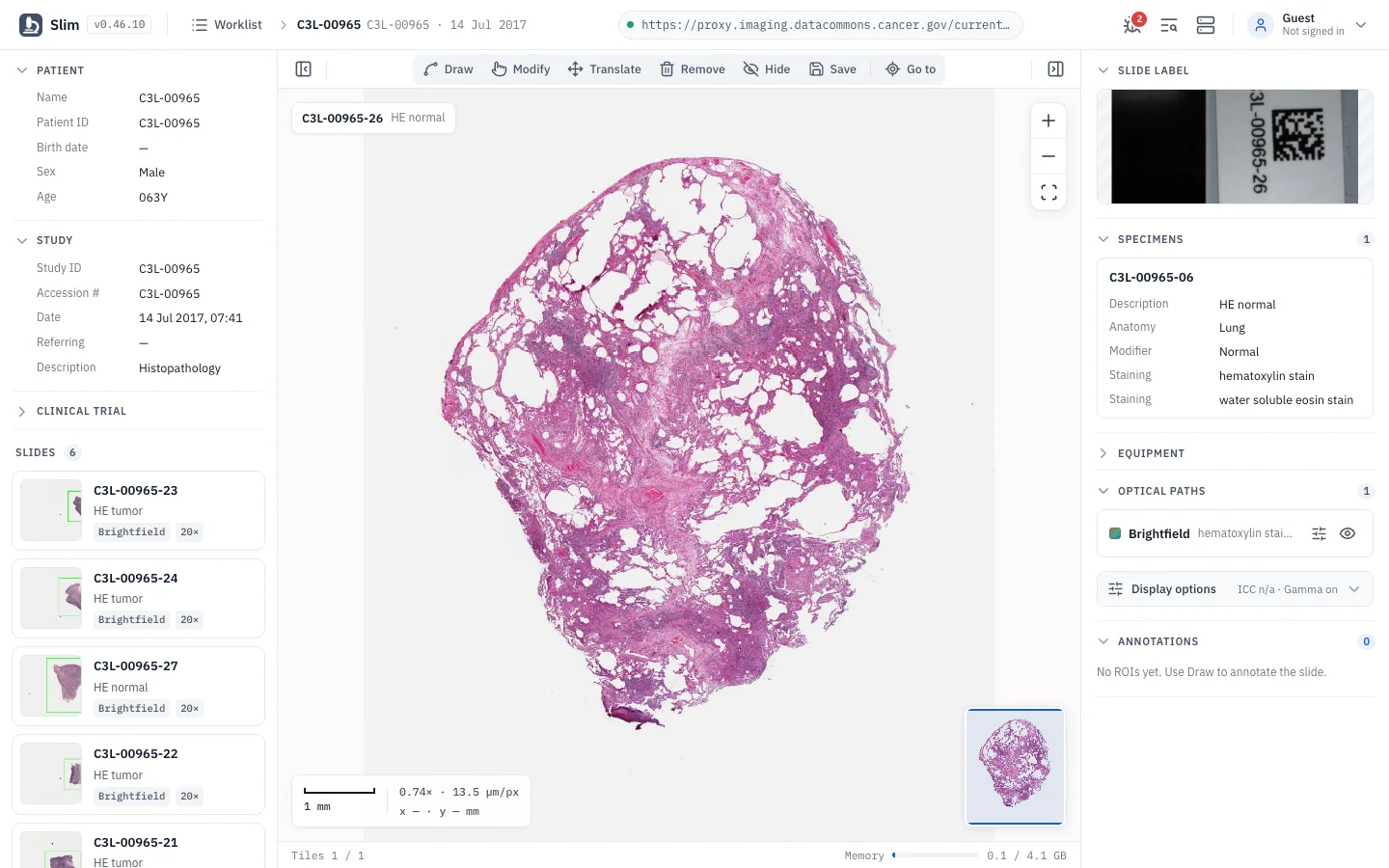
Collapsible side panels, viewport overlays and an overview map keep the slide in focus and the metadata one click away.

Each viewport overlay can be turned off in Preferences. The memory monitor checks usage every few seconds and warns before the browser runs out of room, which matters when several gigapixel slides are open in one session.

  • Left panel with patient, study and clinical trial details and slide cards with thumbnails
  • Right panel with slide label, specimens, equipment, optical paths and presentation states
  • Slide chip, zoom controls, scale bar, magnification and cursor position in millimeters
  • Footer with tile loading progress and live browser memory monitoring
See it in the demo(opens the demo in a new tab)
Slim: A viewer layout built for slides

Interoperability

Any DICOMweb archive, any identity provider

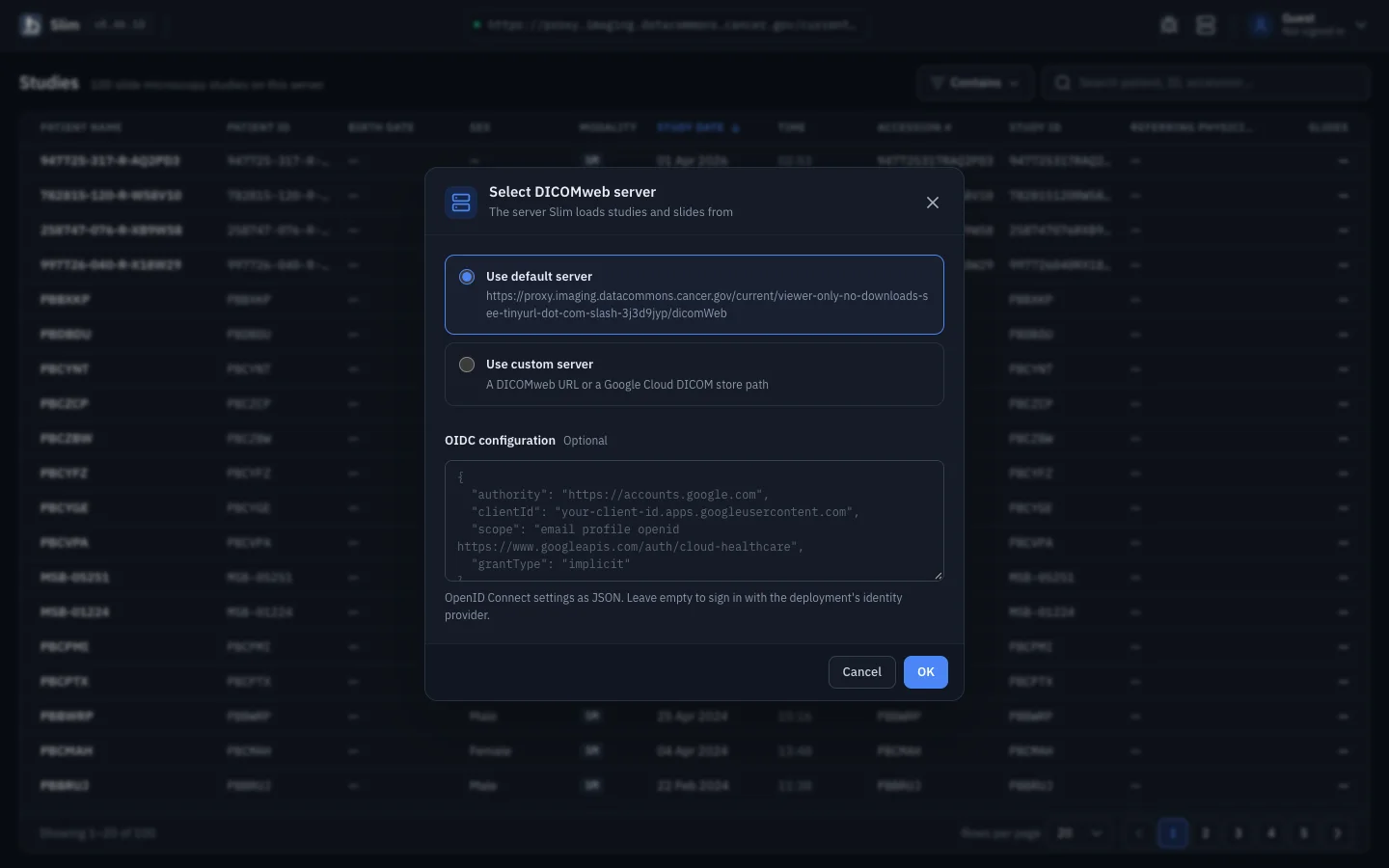
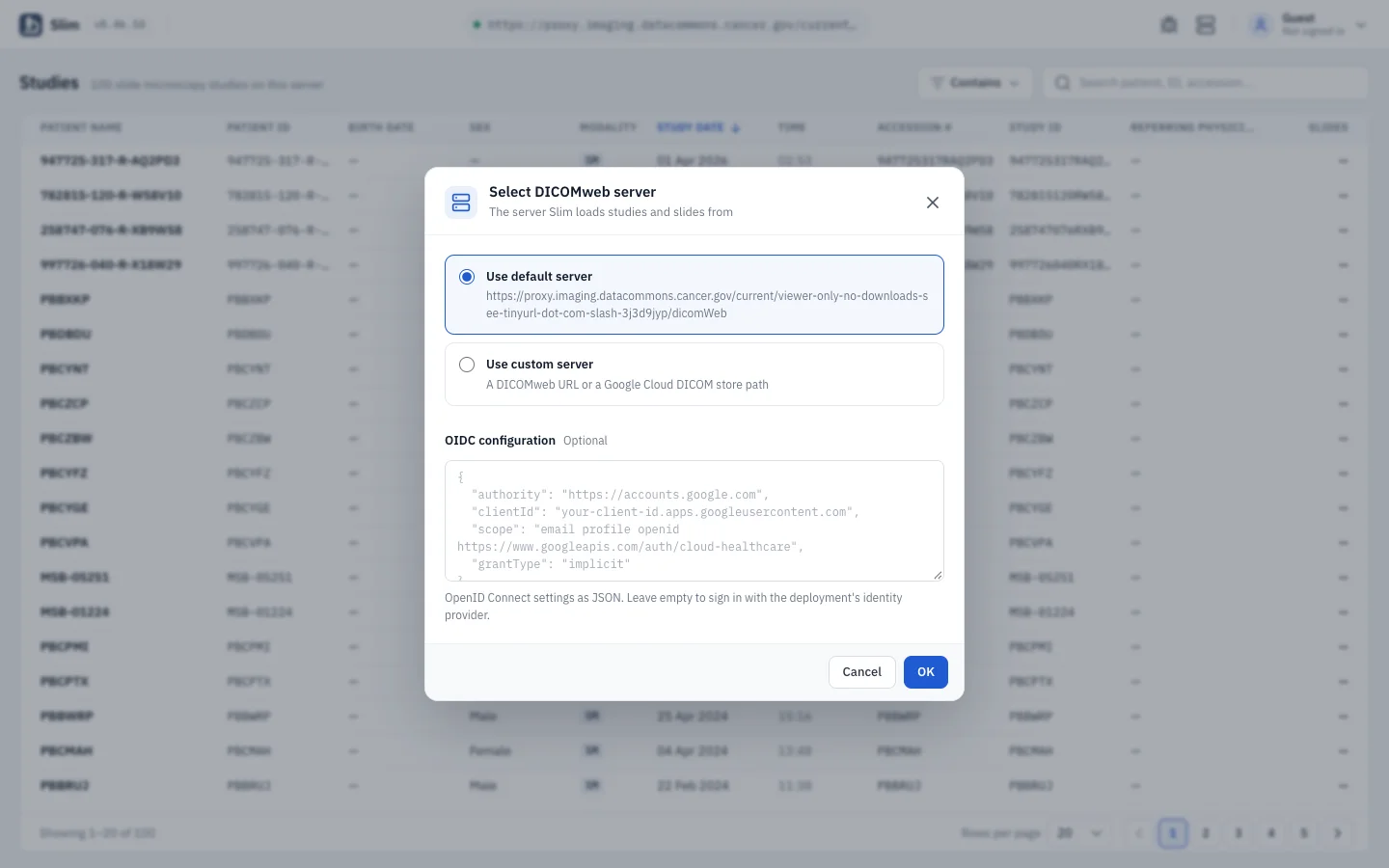
Slim runs fully client-side in front of any DICOMweb-conformant PACS, VNA or cloud archive, with OpenID Connect sign-in.

There is no Slim backend. The app is a static bundle that talks to your archive with QIDO-RS, WADO-RS and STOW-RS, so it can be hosted on any static web server, a cloud bucket or Firebase Hosting. Authentication uses oidc-client-ts; providers can also be configured at runtime from the server dialog.

  • Google Cloud Healthcare API, dcm4chee-arc-light, Orthanc and other DICOMweb servers
  • Switch servers at runtime, including path-only Google Cloud DICOM store paths
  • OpenID Connect with authorization code + PKCE, or the implicit grant
  • Upgrades HTTP bulk data URLs to HTTPS when the archive returns internal links
Slim: Any DICOMweb archive, any identity provider

Preferences

Light, dark and yours

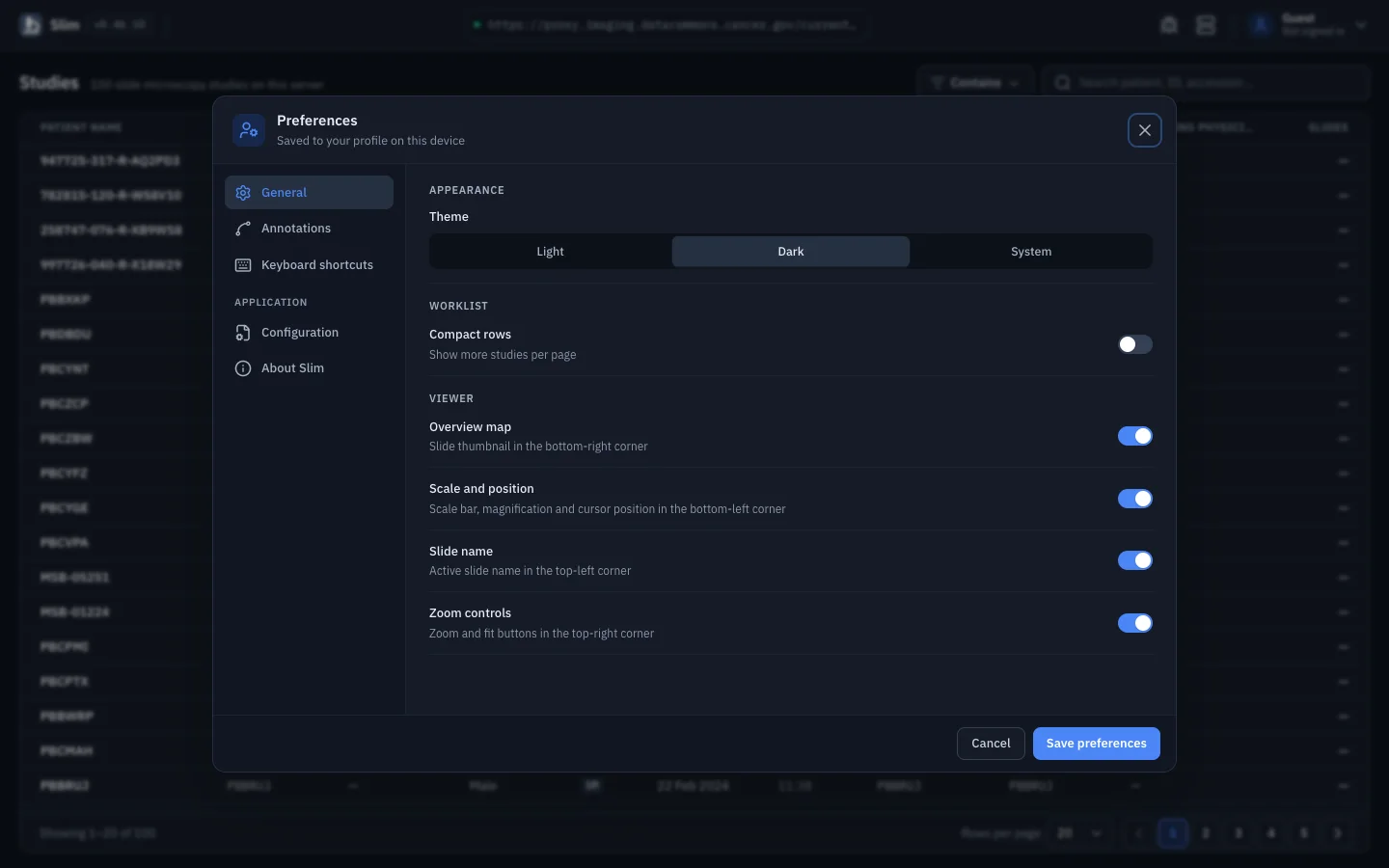
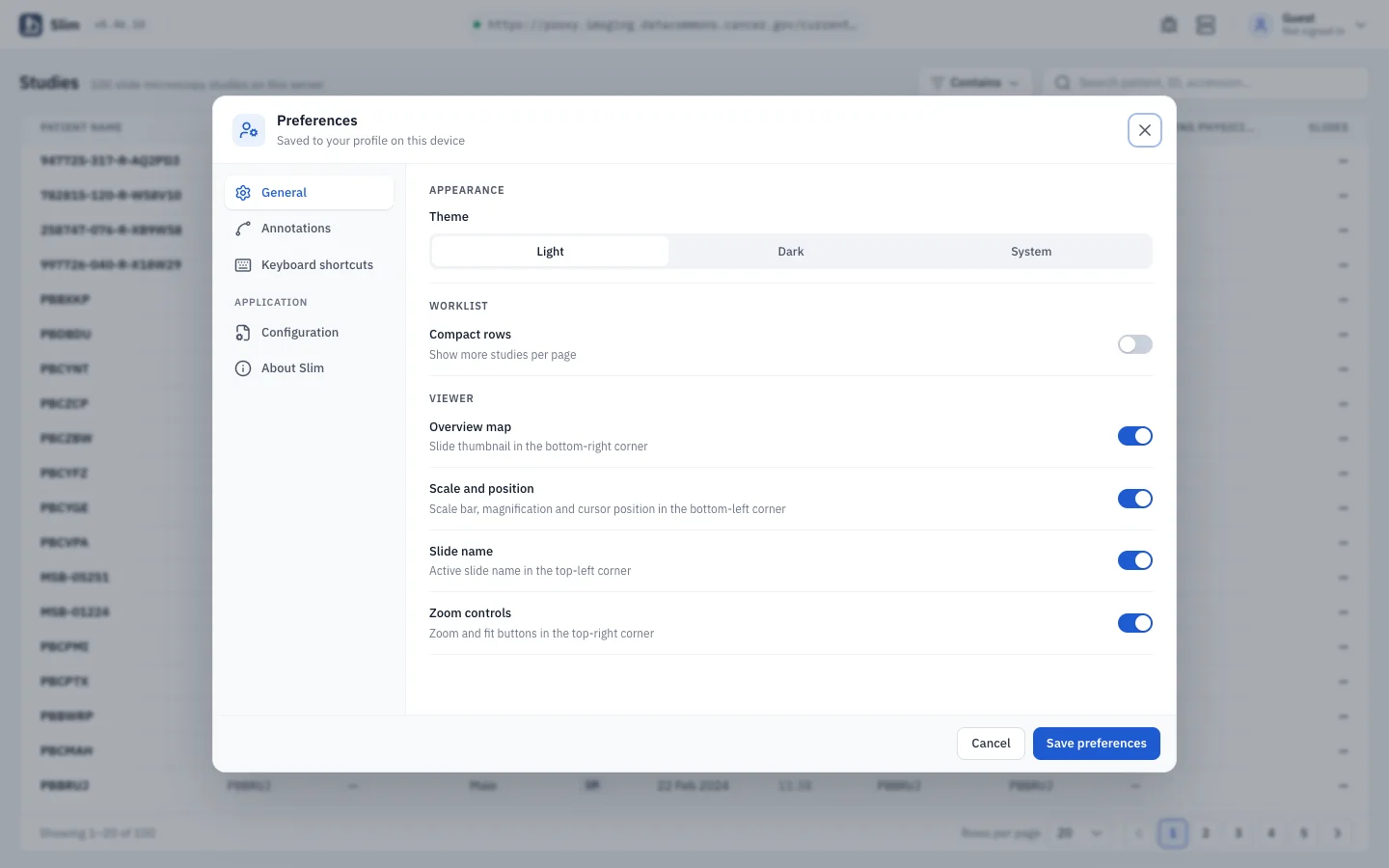
Dark by default, light on request, and preferences that apply immediately without reloading the slide.

Preferences, Debug, Server, Tag browser and all viewer dialogs share one header and footer design, so the app feels the same wherever you are in it.

  • Dark and light themes, or follow the operating system
  • Annotation stroke style and confirm-before-remove settings
  • Toggle the overview map, the scale and position card, the slide name and zoom controls
  • DICOM tag browser and a debug dialog for troubleshooting data
Slim: Light, dark and yours

DICOM support

Supported DICOM objects

What Slim can display, create and store, with a public example for each type. Open any row to see that object in the live demo.

DICOM objects supported by Slim, what it can do with each, and a public example from IDC
DICOM objectDisplayCreateStoreTry it on IDC data
Slide images

H&E and other stains, with ICC color management

1.2.840.10008.5.1.4.1.1.77.1.6

YesNoNo
CPTAC-LSCC

H&E brightfield slide

Open in Slim
VL Whole Slide Microscopy ImageMultiplexed fluorescence

Per-channel color, window and visibility

1.2.840.10008.5.1.4.1.1.77.1.6

YesNoNo
HTAN-HMS

Cyclic immunofluorescence (t-CyCIF), multiplexed channels

Open in Slim
Vector annotations
Comprehensive 3D SRTID 1500 / TID 1410

ROIs with coded findings, saved via STOW-RS

1.2.840.10008.5.1.4.1.1.88.34

YesYesYes
RMS-Mutation-Prediction

Expert region annotations stored as Comprehensive 3D SR

Open in Slim

Hundreds of thousands of cells per slide

1.2.840.10008.5.1.4.1.1.91.1

YesNoNo
TCGA-READ

AI nuclei outlines as Microscopy Bulk Simple Annotations

Open in Slim
Raster results

Including TILED_SPARSE at non-standard resolutions

1.2.840.10008.5.1.4.1.1.66.4

YesNoNo
TCGA-CESC

AI nuclei segmentation, binary DICOM SEG

Open in Slim
SegmentationFractional

Probability maps with an in-viewport legend

1.2.840.10008.5.1.4.1.1.66.4

YesNoNo
TCGA-CESC

Tumor-infiltrating lymphocyte map, fractional DICOM SEG

Open in Slim
Labelmap SegmentationSupplement 243

One segment per pixel value

1.2.840.10008.5.1.4.1.1.66.7

YesNoNo

No public example in IDC v24 yet.

Saliency, attention and score maps

1.2.840.10008.5.1.4.1.1.30

YesNoNo
TCGA-GBM

Glioma aggressiveness score map, DICOM Parametric Map

Open in Slim
Presentation

Restores a saved channel blending setup

1.2.840.10008.5.1.4.1.1.11.8

YesNoNo
HTAN-HMS

t-CyCIF slide with a saved Advanced Blending Presentation State

Open in Slim

Examples are public data from the NCI Imaging Data Commons (v24), served through the IDC public proxy under its usage policy. Large slides can take a moment to load. Object names link to their definition in the DICOM standard.